
Kinépolis
Streamlining the ticket purchase flow
Role
UI·X Designer, team project
Timeline
Feb 2024
Place
Brussels, Belgium
Scope
UX benchmark, user flow, hi-fi prototype
Audience
Gen Z moviegoers
Overview
One journey: from choosing a film to holding a ticket
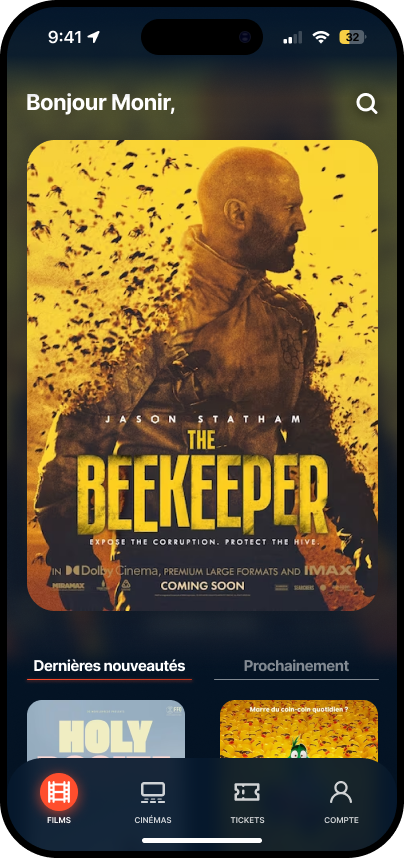
This case study focuses on the core journey of the Kinépolis mobile app: buying a cinema ticket. In a team, we redesigned the path from movie selection to payment, with a Gen Z user in mind, and took it to a high-fidelity prototype.
The goal was a fast, effortless and enjoyable purchase, one that helps conversion on mobile and leaves moviegoers happier across every Kinépolis theatre.
The problem
Friction at the worst possible moment
The existing flow suffered from friction that led to high abandonment, especially at peak times, exactly when people are trying to catch a showing.
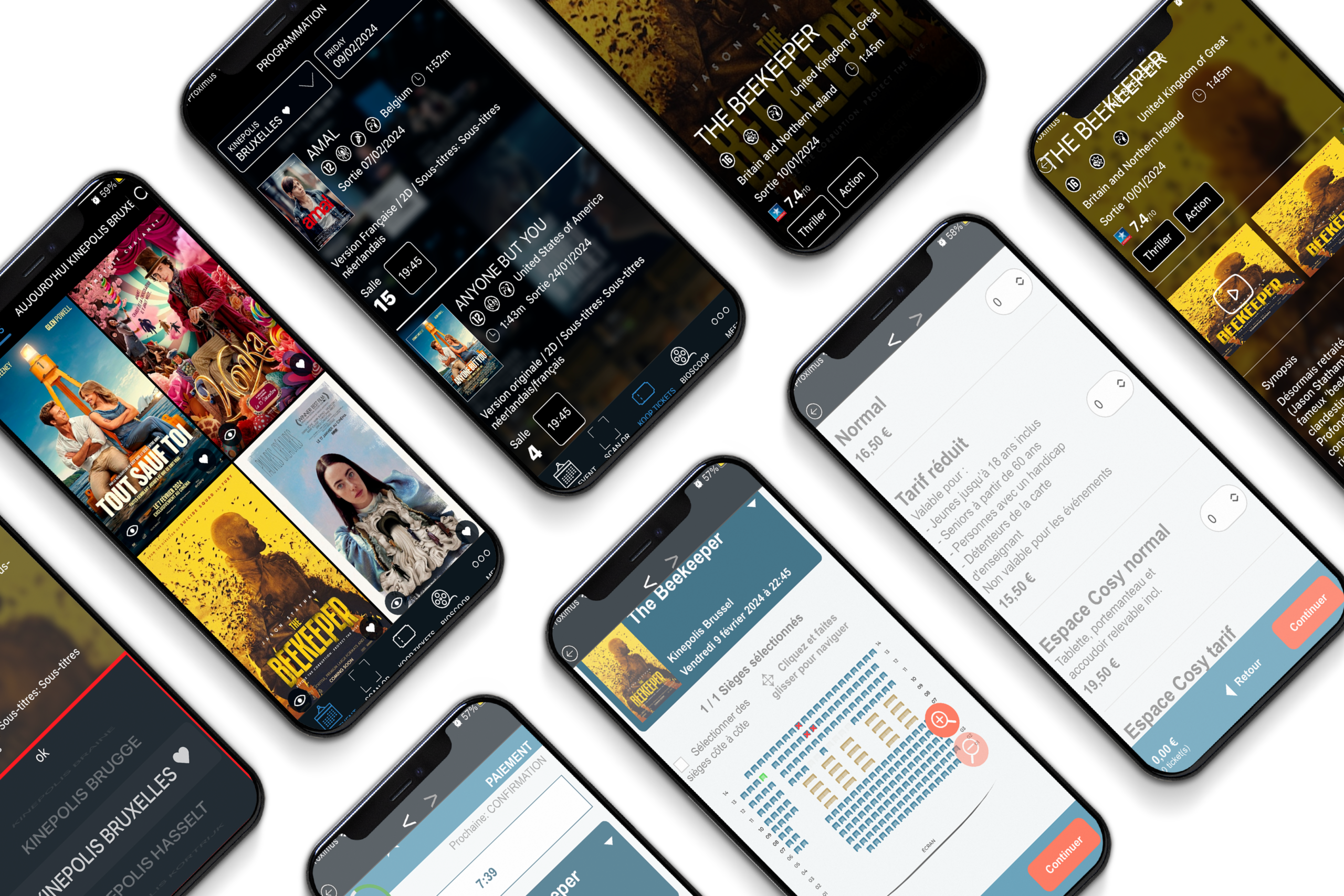
Walking through the original app, the friction was easy to point at:
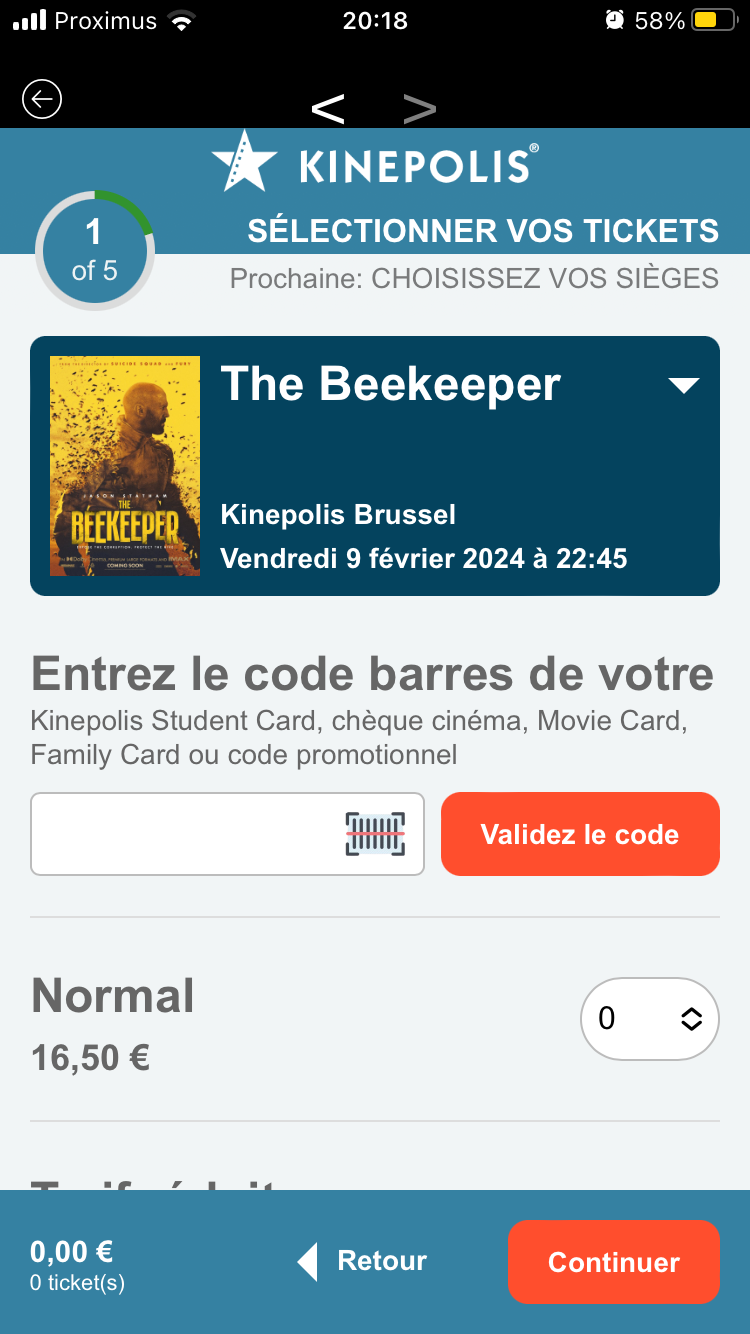
- Buying a ticket was one of three equal buttons at the bottom of the film page, next to “seen it” and “want to see”.
- Cinema and date each had their own scrolling picker, followed by a long list of versions and showtimes.
- Checkout left the dark app for a light web flow counted in five steps, opening on a promo code field before any fares.
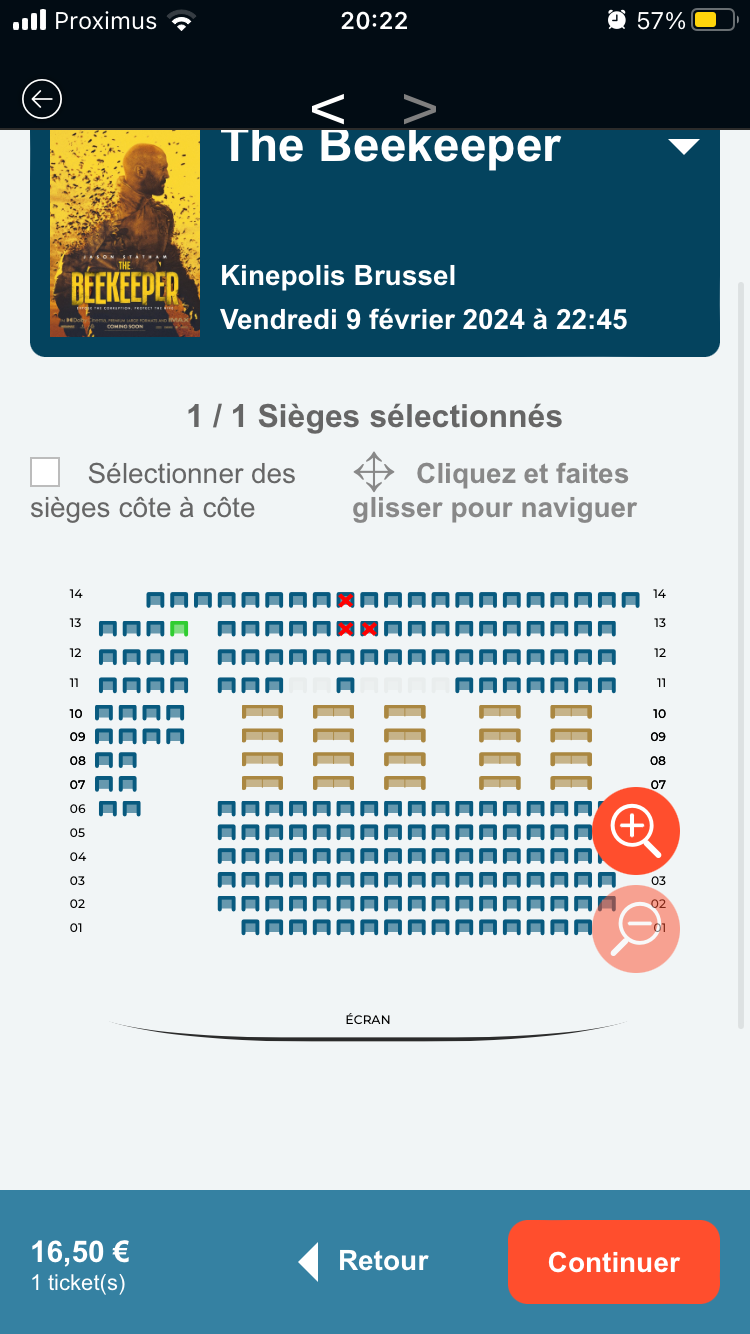
- The seat map needed zoom buttons, a “click and drag to navigate” hint and a checkbox to sit together.
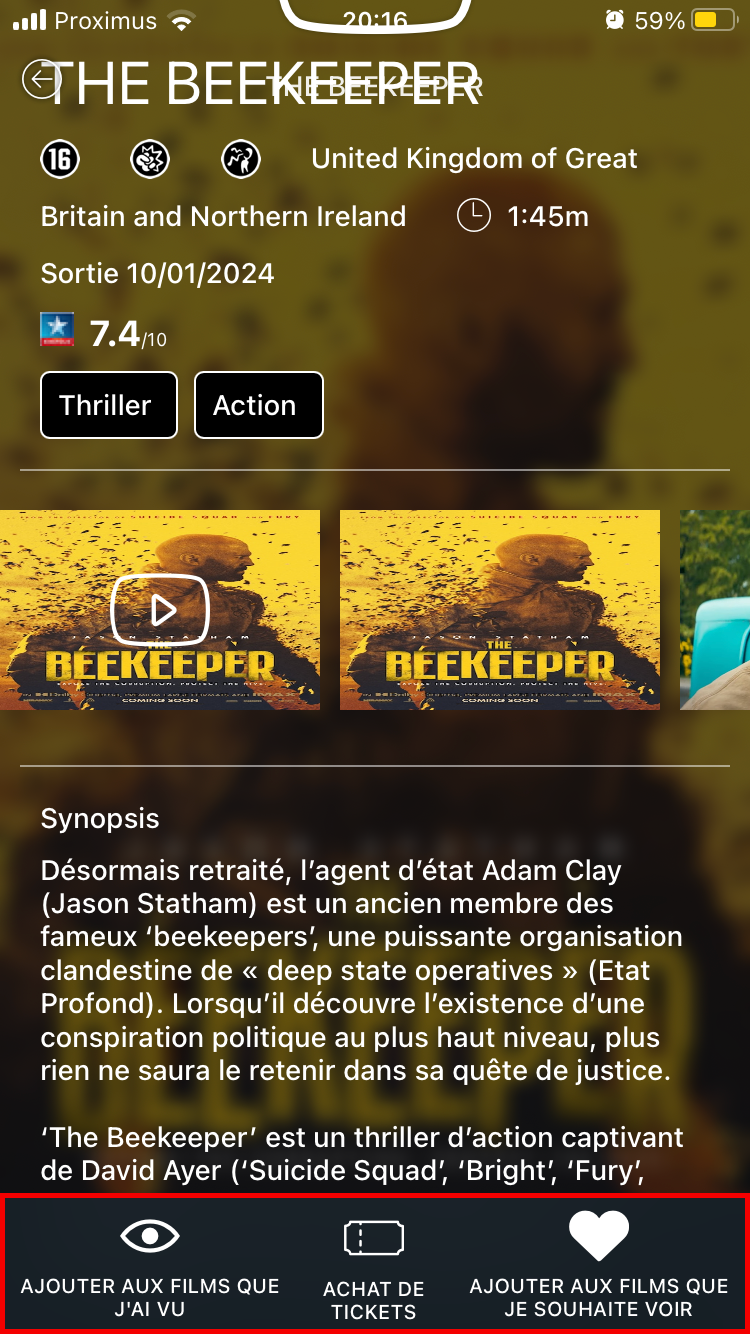
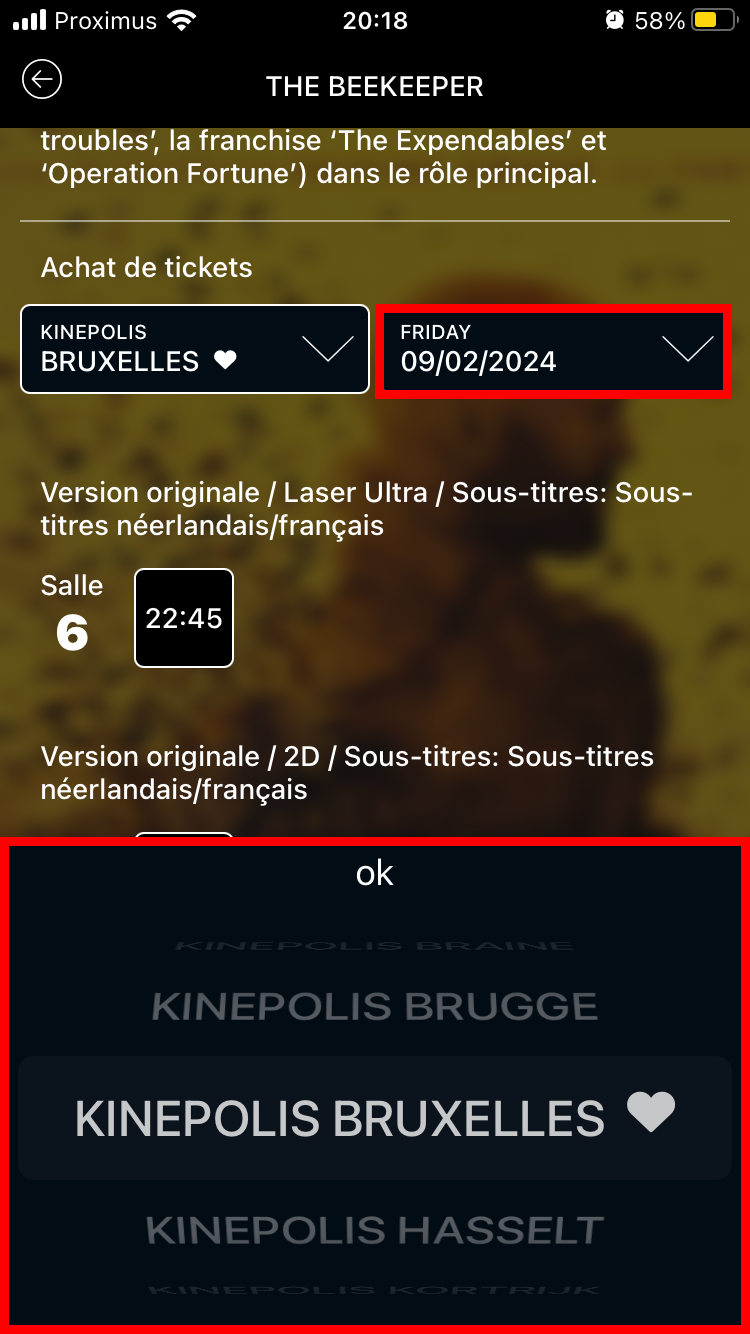
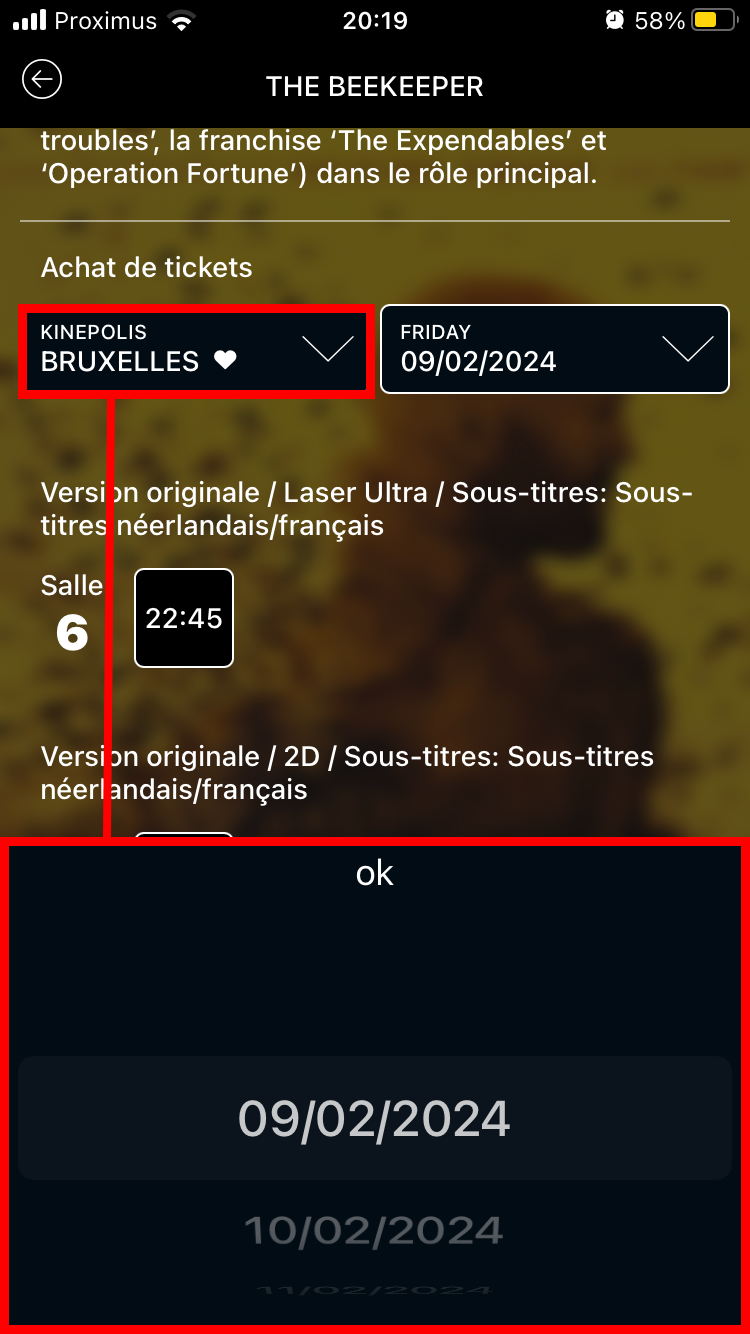
That gave the project three objectives.
01
Optimise the funnel
Turn scattered steps into one clear, linear progression from film to payment, to cut decision fatigue and drop-offs.
02
Fix seat selection
Rethink the seating chart for a phone, so people pick the right seats quickly, without scrolling or pinching.
03
Make it clear and fast
Immediate feedback, better loading states and a visual hierarchy that makes ticket types, prices and offers obvious.
Benchmark
Looking at what already exists
Before drawing anything, we looked at the current Kinépolis app, its competitors, and what users were already saying about it.
- The current Kinépolis app: its visuals, and the problems users run into.
- Similar apps, UGC, Pathé and Allociné: what blocks people and what works.
- Online reviews, read for user experience issues, to spot the major pain points.
- Design references from Pinterest, Behance and others, to see what attracts and pleases.
The flow
One linear path, drawn first
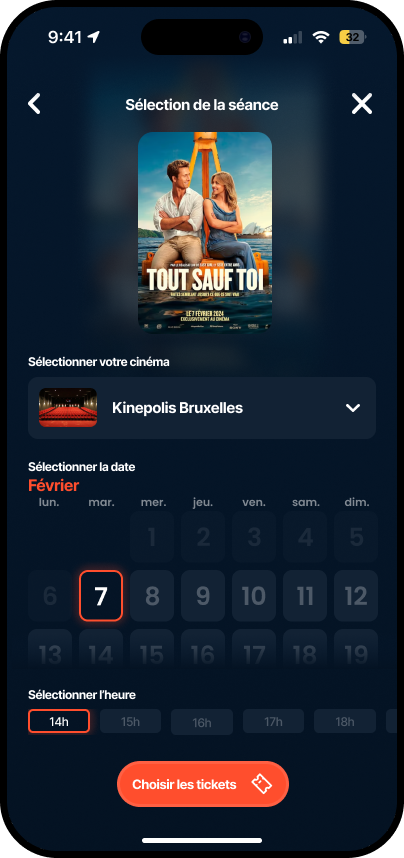
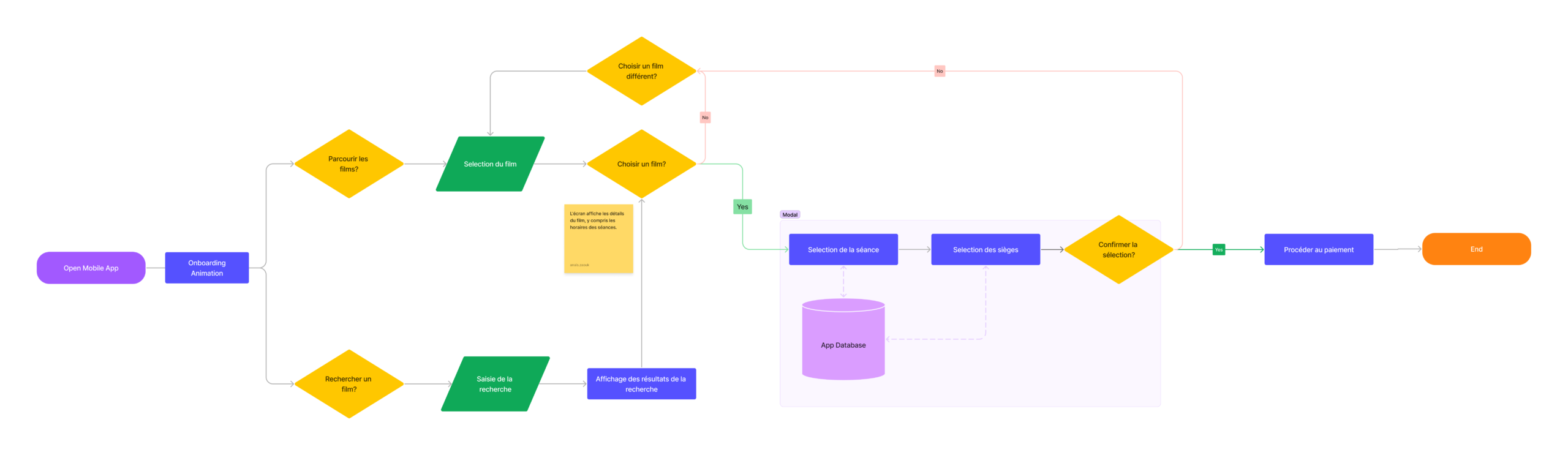
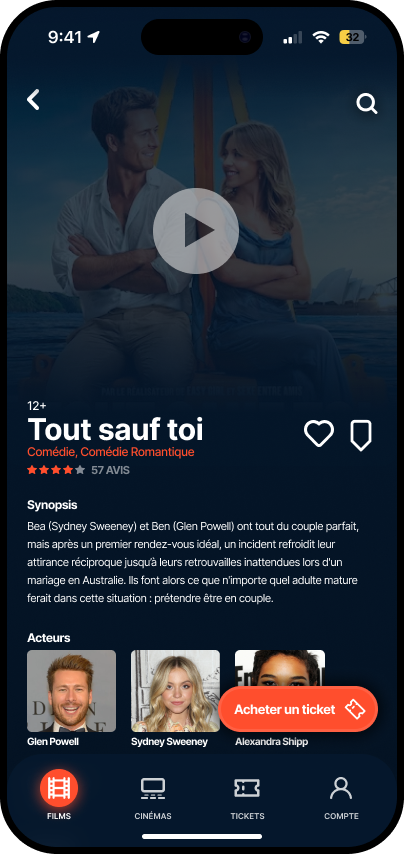
We mapped the journey from opening the app to paying: browse or search, pick a film, then session, seats and confirmation in a single modal before payment. Changing your mind sends you back one step, not back to the start.
Cinema, date and time now live on one screen instead of two pickers and a list, and the whole purchase stays inside the app.
The flow sat inside five epics that framed the wider app:
- Selecting and buying tickets
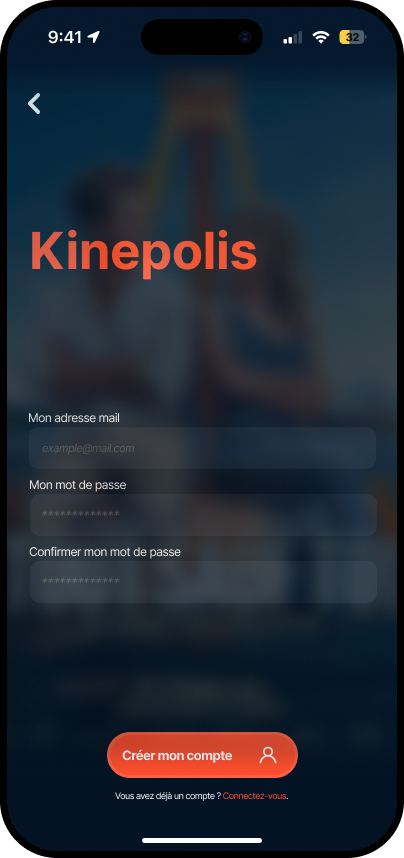
- Managing the user profile
- Notifications and recommendations
- Theatres and showtimes
- Payment and security
Seat selection
A seat map that fits in your hand
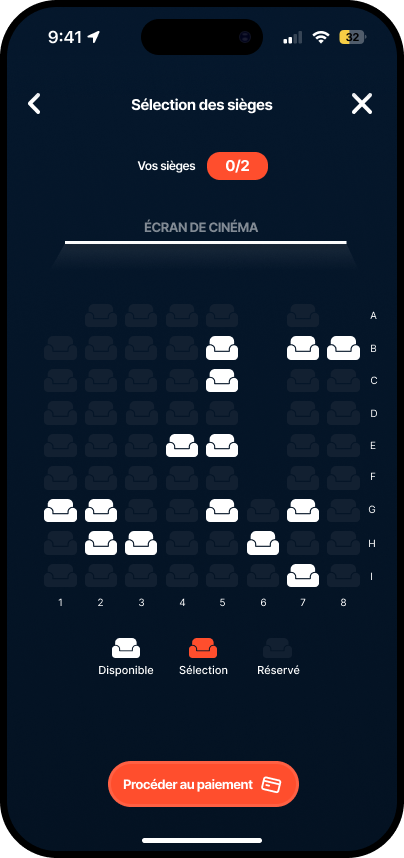
The whole room fits on one screen. No pinching, no sideways scrolling.
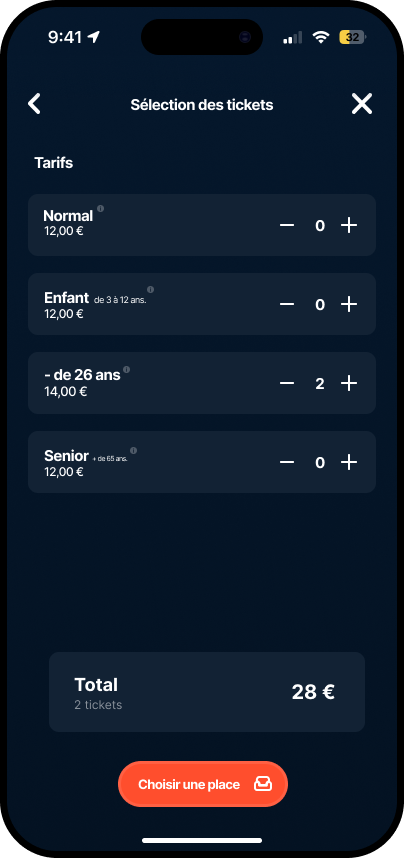
- Tickets come first, so the app knows how many seats you need before you see the map.
- A counter shows how many seats are left to pick, and the screen position is always visible.
- Three states only, available, selected and taken, with a legend underneath.
- One button to move on: proceed to payment.
UI direction
Dark like the room, one colour for action
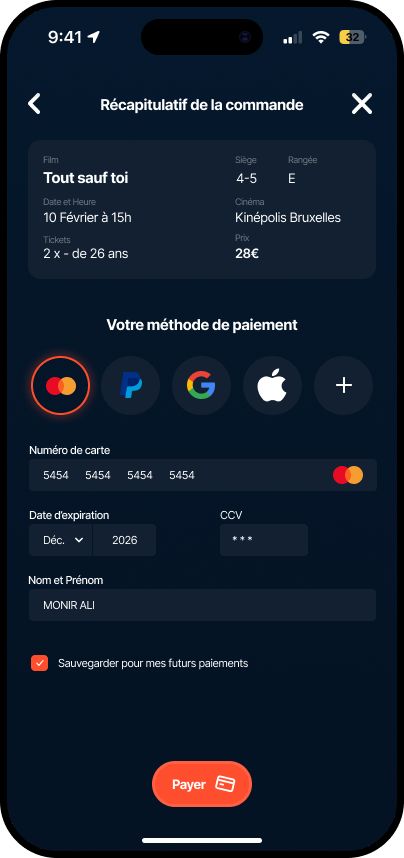
A deep navy background lets the posters do the work, the way a cinema lets the screen do the work. A single orange is reserved for the next step, so there is never any doubt about where to tap.
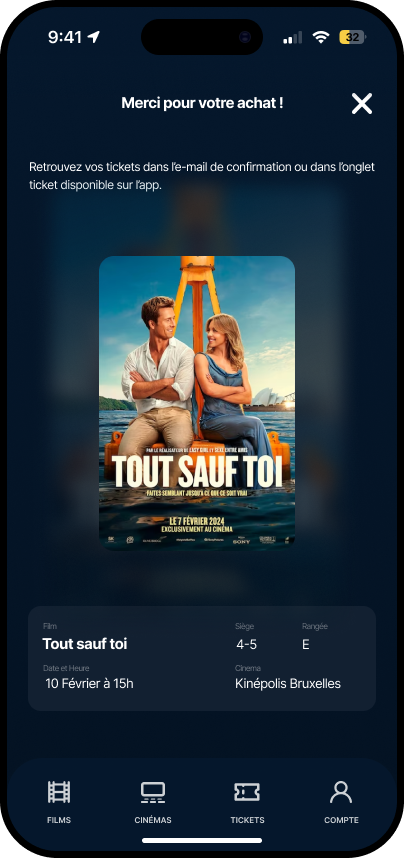
Prices sit next to each fare, the total updates as you go, and the confirmation screen repeats everything you need at the door: film, seat, row, date and cinema.
The screens
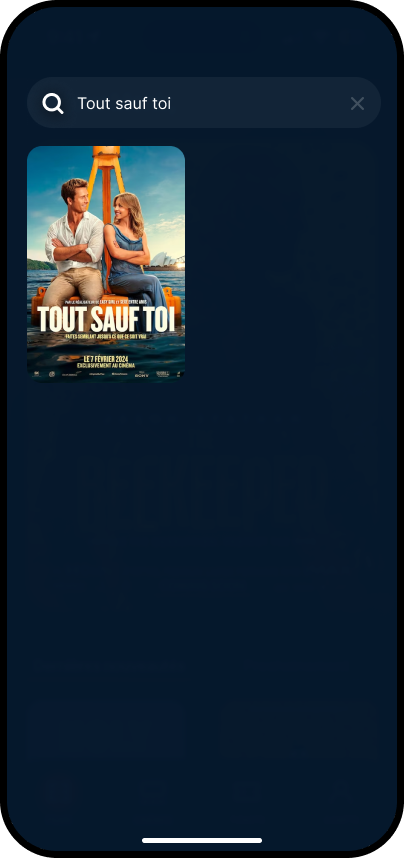
The full purchase, step by step
Outcome
What we delivered
4
Cinema apps benchmarked, Kinépolis included, before any design work.
5
Epics framing the app, with ticket purchase as the core journey.
11
High-fidelity screens, from home and search to payment and confirmation.
Next case study